Day-of-week and time-of-day
Find the days and hours your strategy should skip
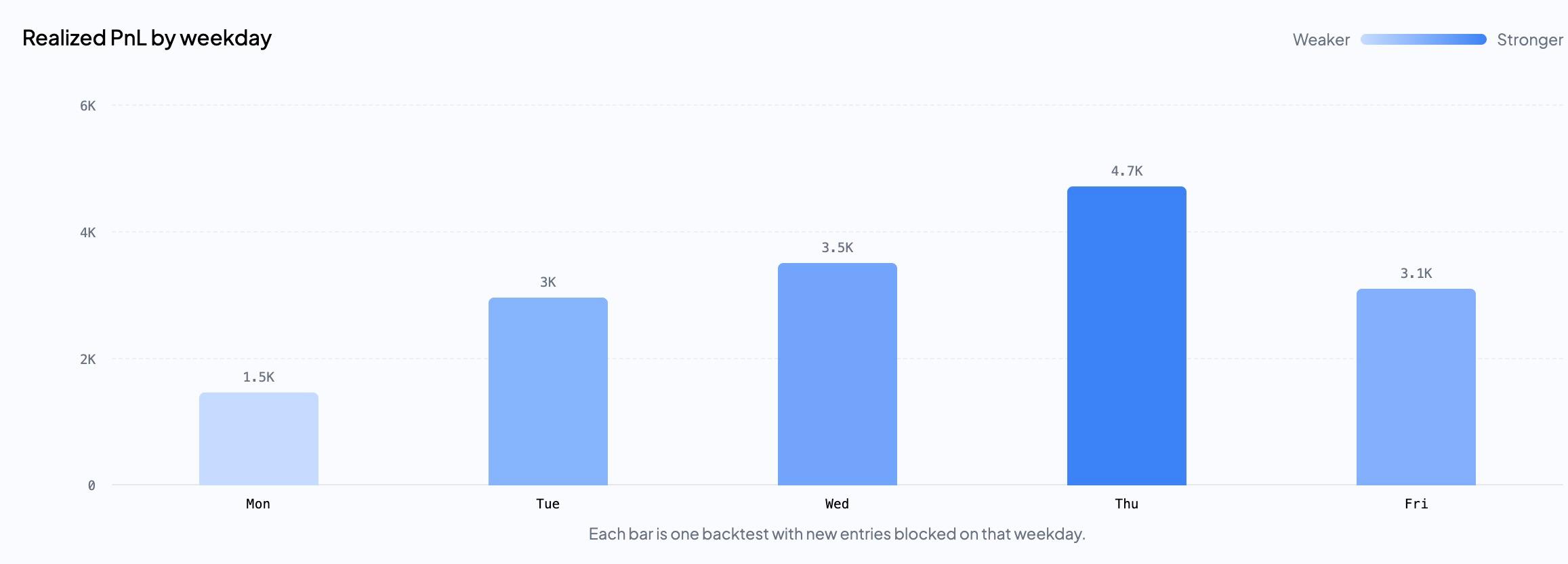
LONA reruns your strategy with new entries blocked on one weekday or one UTC time slot at a time, then compares every run on the same metric.
How it works
- 1
Pick the test
Day of week tests each trading day of the instrument's calendar. Time of day splits the session into UTC slots and needs intraday bars.
- 2
Keep everything else fixed
Data, dates, execution settings and strategy parameters stay the same, so the blocked period is the only change between runs.
- 3
Compare the runs
A bar chart and table show the chosen metric for each exclusion, with the strongest and weakest results called out.
What you get
Calendar-aware
Equities, ETFs and forex test Monday to Friday; crypto tests all seven days. Several markets use the union of their trading days.
Clear cost
2 credits per backtest: a five-day week is 5 backtests and 10 credits.
Honest reading
A Monday bar is the strategy with Monday entries blocked, not the profit earned on Mondays. Open positions can still close in a blocked period.
[ FAQ ]
Questions
More LONA features
Backtesting
Backtest Python trading strategies on 80,000+ symbols from Claude, ChatGPT, Codex or the LONA app. Trades, equity curve and every metric in one report.
Parameter optimization
Sweep one or two strategy parameters over a grid and compare every combination in a table and a 2D or 3D chart. Run 1,000 backtests in under 30 seconds.
Walk-forward analysis
Re-optimize a strategy on rolling or anchored in-sample windows, then test it on unseen out-of-sample data. Get stitched equity and walk-forward efficiency.
MT5 export
Turn a LONA strategy into a compiled MetaTrader 5 Expert Advisor. LONA translates Python to MQL5, compiles it with MetaEditor and returns .mq5 and .ex5 files.